GitHub Copilot: My Experience With My AI Coding Partner

I'm a solutions engineer lead, GitHub Star, Director of WomenDevsSG, and co founder of ragTech. I work at the intersection of tech, systems, and leadership, and this blog is where I share my journey through all three. Expect honest reflections, real experiences, and thoughts that are still forming rather than polished career advice.
In this article, I want to share my experience of using GitHub Copilot for a week. My first impressions, some demonstration of how it works, and my current impressions of the product.
First Impression
It was July 8. I was excited to receive an email in the morning, that I finally got access to Copilot. I immediately went to install it in the Visual Studio Marketplace. What I first noticed when I arrived there was that Copilot had a 3-star average rating. I investigated further and was shocked to see the reason behind these mediocre reviews:

Most poor (1-2 star) reviews are emotionally driven and do not contain any constructive feedback. A simple sentimental analysis shows that most bad reviews were mostly showing apprehension, concern and disagreement before even really testing the product.
 Results from expert.ai's Natural Language Processing Sentimental Analysis API
Ultimately, my first impression (before testing the product) was neutral. I don't believe the emotional 1-2 star reviews that suggest fear and anxiety of AI taking over our jobs. Rather, I am more concerned about the privacy implications of the product and how well it can actually perform.
So next, I started to test the product myself to get a deeper look.
Coding with Copilot
Permissions
After installing GitHub Copilot to my VS Code, there are permissions to be authorized to use VS Code with GitHub Copilot.

A token will then be automatically generated and sent to VS Code to authorize GitHub for VS Code.
First JS file with Copilot
To test out Copilot, I read the Getting Started guide on the GitHub repo and created a simple test.js file.
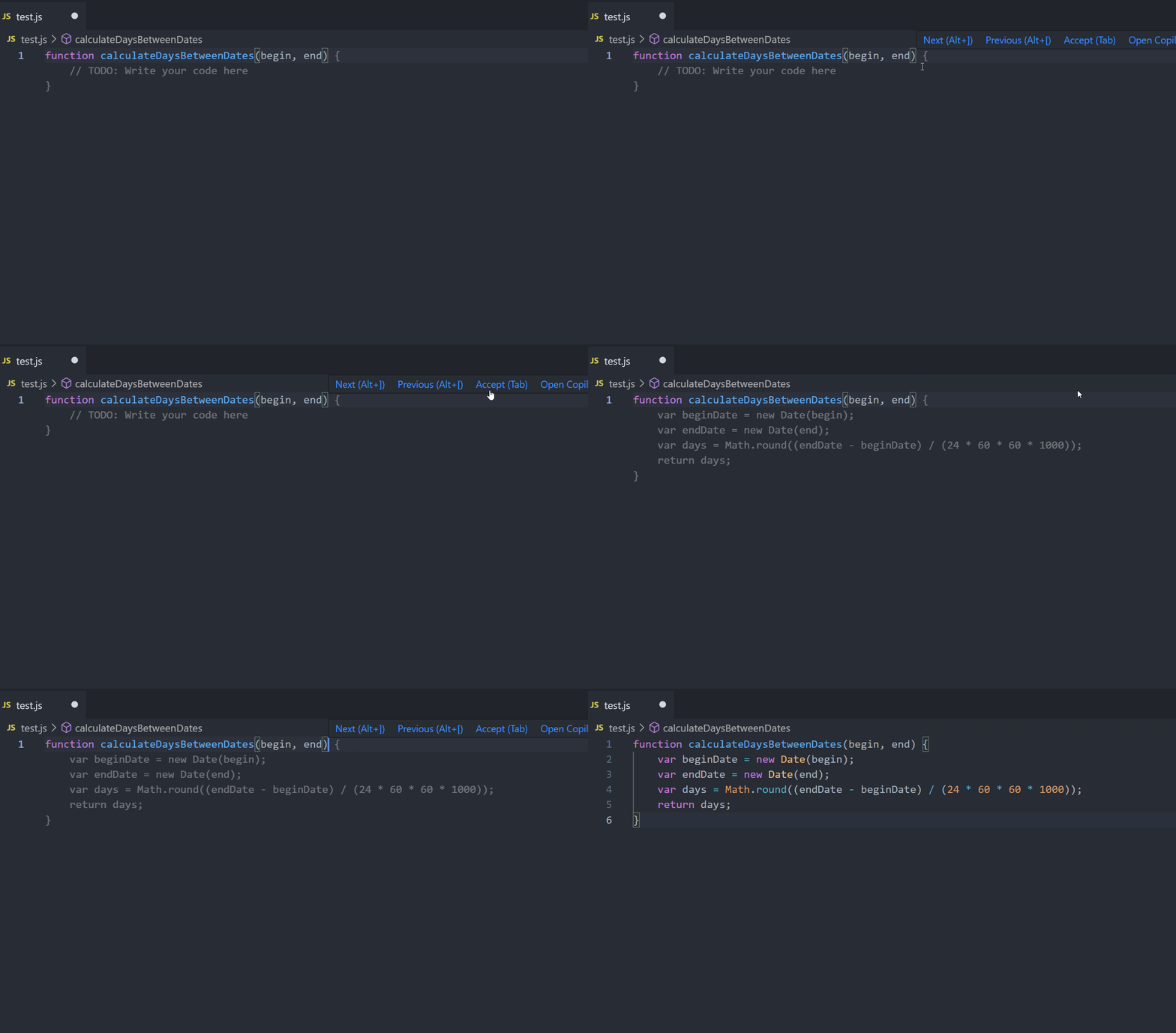
Alt+] to see different suggestions and then press Tab to confirm the suggestion.
To show more suggestions, press ctrl + ENTER. A new tab will open, showing all the possible suggestions.

At this point, I am quite happy with this product and am excited to try out more features.
Generate Code with Comments
It is possible to just type what you want a function to do as comments and Copilot would generate a code snippet.
Some simple arithmetic functions generate from comments.

Adding event listeners to each button generates this.

For more complex codes like generating an Express server, it gets quite tedious. The Copilot suggests line by line after my comments, and I hit Tab to accept each suggestion.
But then, there came a point where it stops suggesting more lines, so I had to type ctrl + ENTER to open the new tab and select the code block I wanted. Again, it was tedious and would be much faster if I had code it myself without looking for suggestions from Copilot.

Chatting with Copilot
Although not an official feature, it was discovered that since the model of CoPilot is somewhat based on GPT3, it can chat with you. I tried it out for myself, and it's really cool.

No Copilot Whenever You Want
You can easily deactivate and activate Copilot at the bottom toggle of your VS Code window. It makes it convenient to turn it off and on, depending on when you need it.

Current Impression & Conclusion
Ultimately, the product is still in technical preview so of course, is far from being that perfect AI coding partner. Although the code suggestions is good and all, it is now mostly useful to write small and simple functions. It can't fix bugs or help with larger and complex code. From my personal experience with the product, I concluded that the fear and apprehension seen in the VS Marketplace reviews seemed largely unjustified and possibly from uninformed sources of opinions.
It currently works for most languages, but it especially works well with Python, JavaScript, TypeScript, Ruby and Go. It also works wherever you can have Visual Studio Code, such as your machine or even GitHub Codespaces.
To enhance your experience with Copilot, you need to be the good pilot and choose the code suggestions you prefer, reject the ones you don't want, so that it will save you time on your next project.
Another way to improve Copilot (if you have access) is by communicating in the Discussion Forum. Many developers share their ideas on the product, what to improve on, what features they would like to see and some awesome new things they discovered Copilot can do.
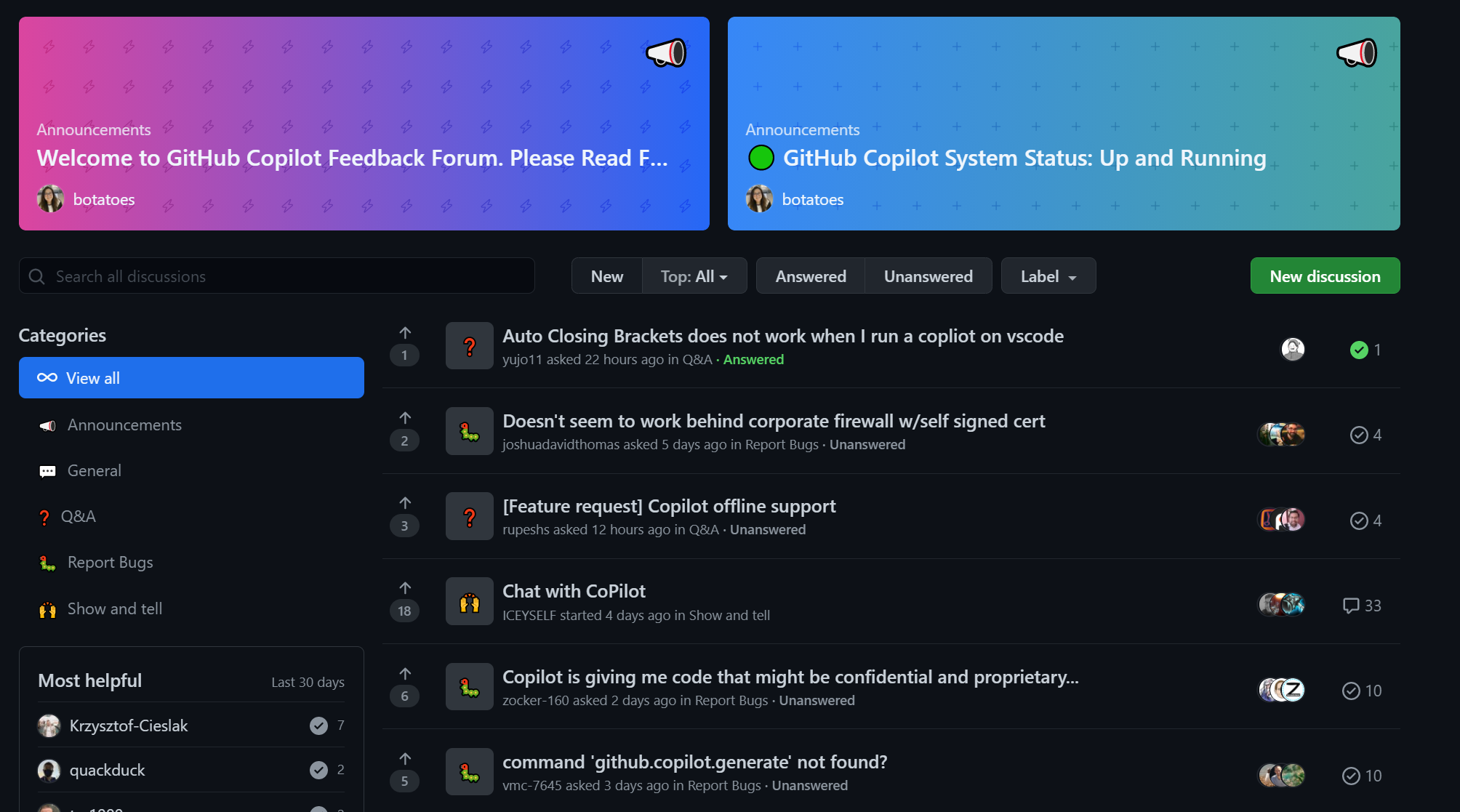
Thanks for reading! If you'd like to learn more about Copilot, I found some interesting articles that discusses not only the technical aspects and future implications of Copilot, but also the legal aspects regarding how the model is built.
Do check them out in the Read More section below and share your thoughts or experiences with Copilot so far in the comments. Would love to read them. Till next time, cheers!
Read More
- GitHub Copilot: All you need to know by Ayushi Rawat
- GitHub Copilot - Will Artificial Intelligence Replace Developers? by Catalin Pit
- Should GitHub Be Sued For Training Copilot on GPL Code? by FossPost
- https://copilot.github.com/