Introduction to Vite: The Next Generation Frontend Tooling
Let's learn about Vite tool and why it is a developer's favourite these days!

I'm a solutions engineer lead, GitHub Star, Director of WomenDevsSG, and co founder of ragTech. I work at the intersection of tech, systems, and leadership, and this blog is where I share my journey through all three. Expect honest reflections, real experiences, and thoughts that are still forming rather than polished career advice.
As a React developer, using Create React App to start new projects and run them can be a pain. Firstly, it is slow to install all the 140MB dependencies when creating a new app. Next, it uses Webpack to bundle the code each time new changes are made. Hence, the larger the app gets, the longer it will take to rebuild the app to reflect changes.
In this article, let me introduce you to Vite, the next generation frontend tooling. At the end of this article, you will learn what are the key features of Vite and how you can easily set up your React Apps with it.
What is Vite and why use it?
Some of you may have heard of Vite before, but what exactly does it do?
Faster server starts
It is essentially a solution to long server starts by serving code over native ES modules. Most tools we have seen like webpack, Rollup and Parcel will hit a performance bottleneck as the application gets larger. It can become quite slow to start the dev server, which can make it frustrating for developers.
This is because those tools are bundle-based, meaning the code has to be completely bundled first in order to start the server.
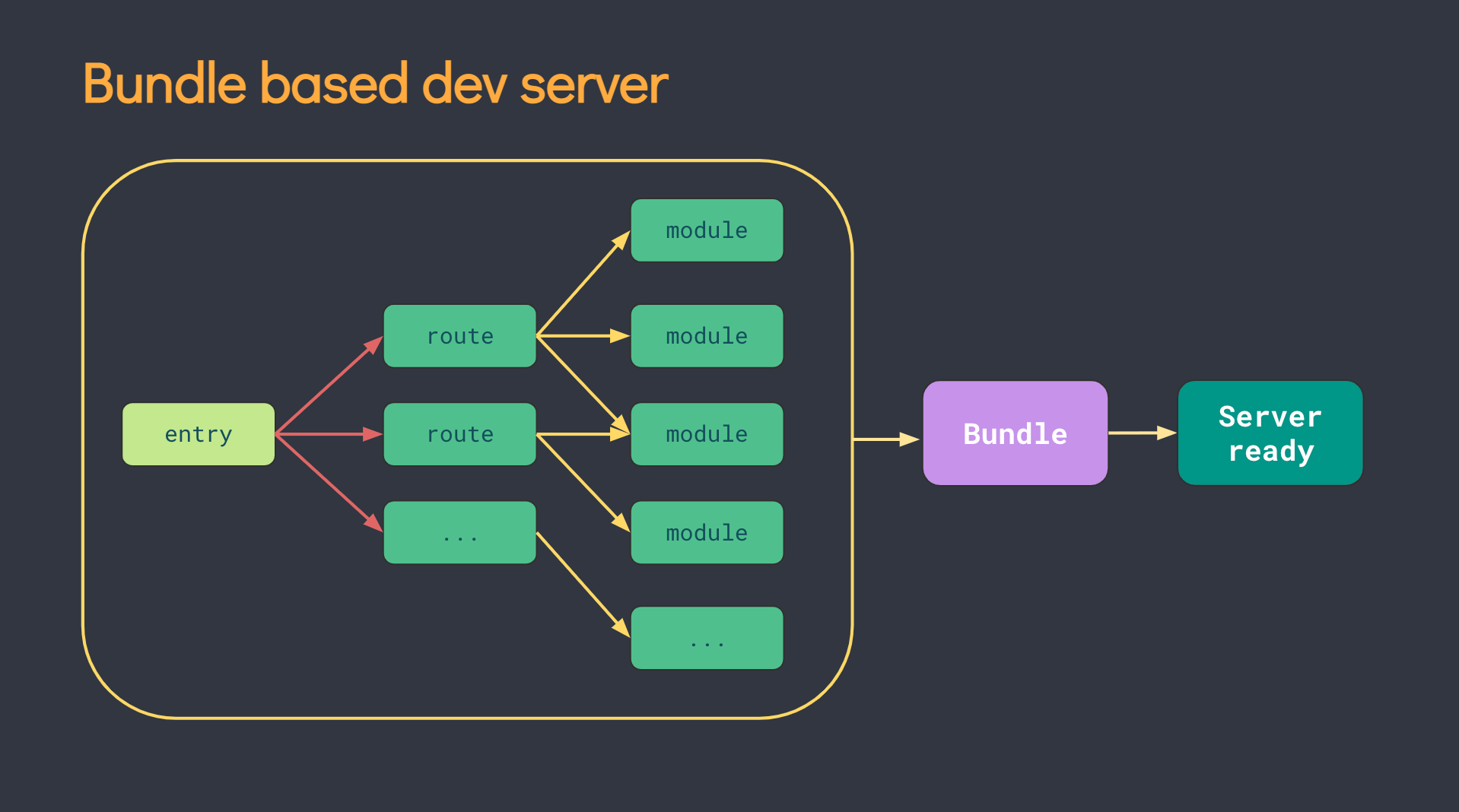
So you can imagine that for large-scale applications, this can be an issue that impedes developer productivity.
Vite, on the other hand, uses native ES modules (ESM) to serve the code. According to their documentation, this means:
Letting the browser take over part of the job of a bundler. Vite only needs to transform and serve source code on demand, as the browser requests it. Code behind conditional dynamic imports is only processed if actually used on the current screen.
Source: Vite documentation
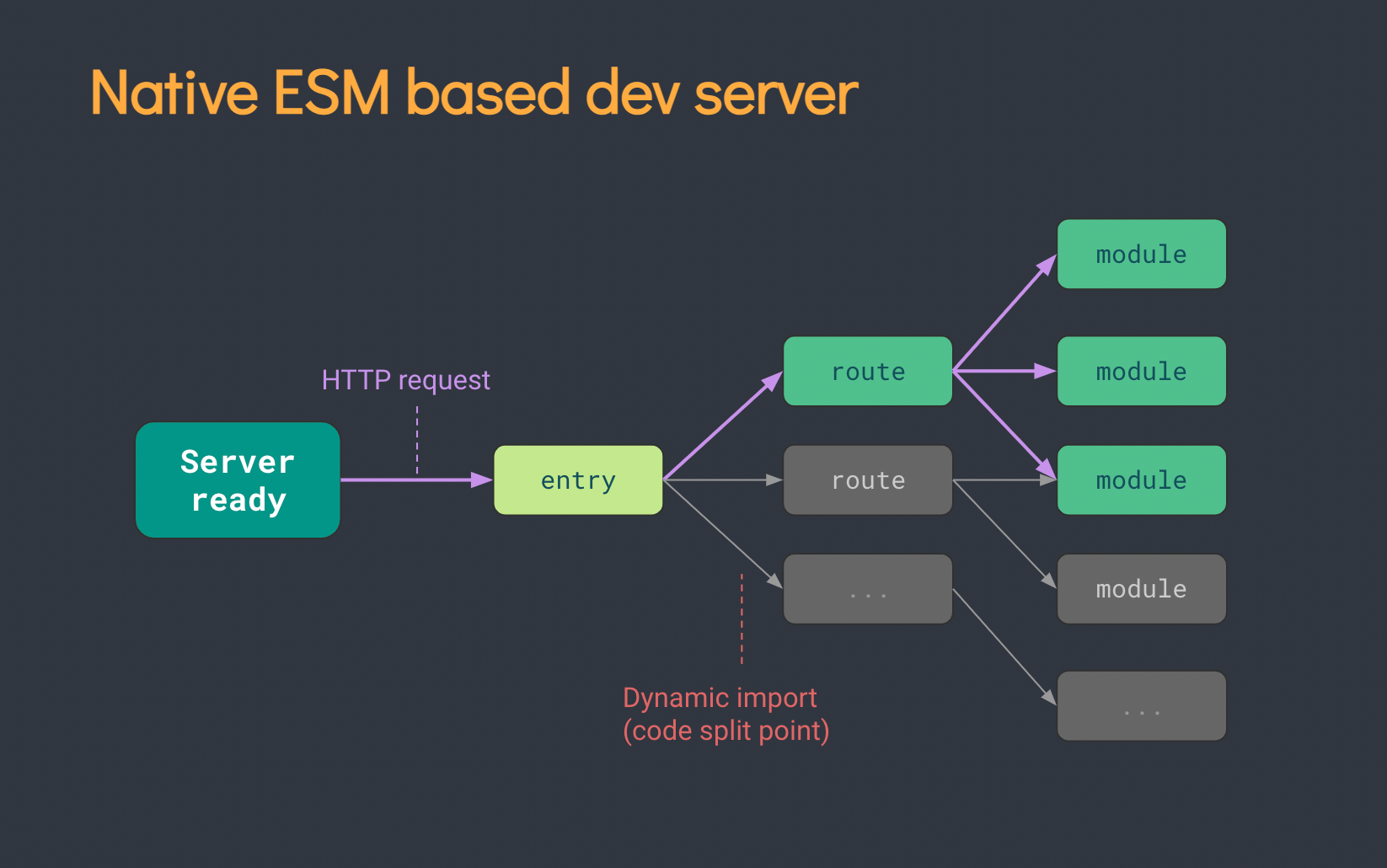
Faster Updates
Some bundlers like webpack support Hot Module Replacement (HMR). This is when a running application reflects only the changes made, without having to reload the full page. However, as the application gets larger, HMR does take longer, making the page update slower.
Vite also solves this problem as HMR is performed over native ESM. This means that HMR will continue updating the page fast, regardless of the app's size.
Using Vite: Setup a React App
Now that we've learned why Vite is a powerful tool that solves common web development challenges, let's start using it!
In this example, I will show you how to setup a React app using Vite. After this, you will no longer have to experience the slowness with Create React App.
Step 1: Create Vite Project
First, run the command to create a Vite project:
npm create vite@latest
You will then be asked to name your project like so:
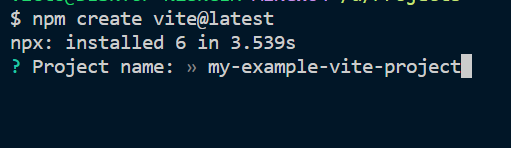
Next, select the 'React' framework for this example:
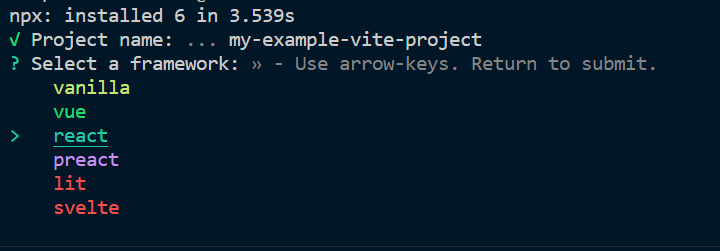
And you're done! It's almost an instant process, isn't it?
Alternatively...
You can simply create a new React app without going through the options using this command:
npm create vite my-vite-react-app --template react
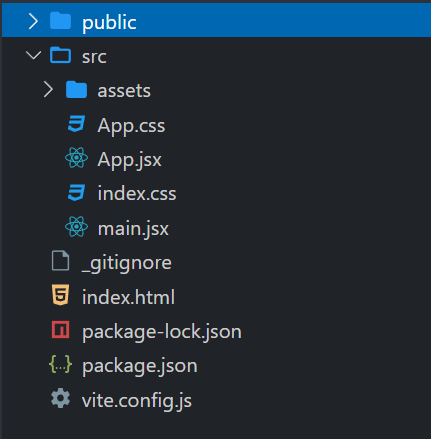
And yes, don't worry. The app itself has the same structure as what you would expect if you have used Create React App.
Step 2: Run & Start the server
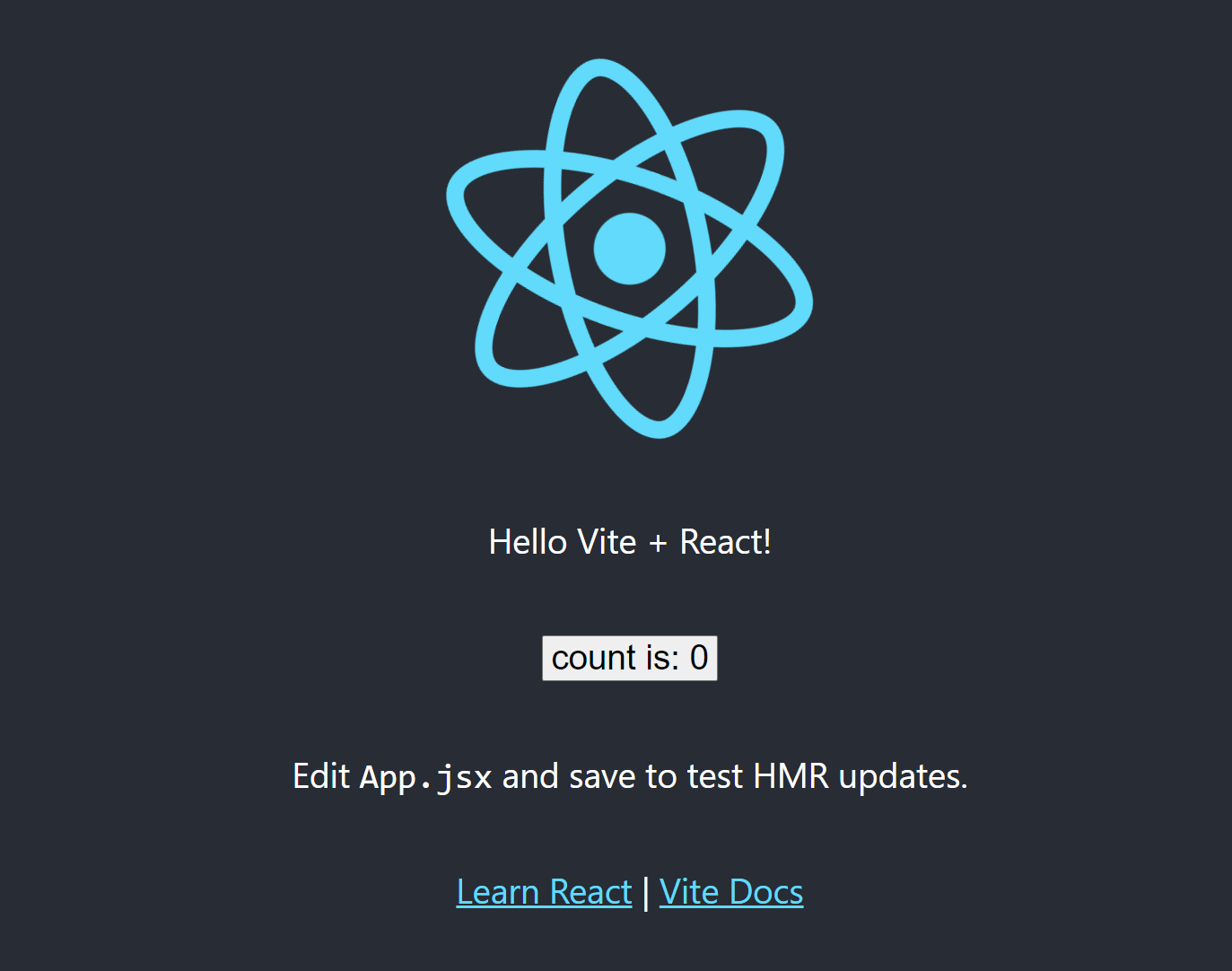
Finally, install the dependencies we need and start the app with the following command:
npm install && npm run dev
Conclusion
There we have it! Thanks for reading! I hope you have found this article useful in understanding what Vite is, why it is used and how to use it.
For more information, do check out the links below to learn more about Vite and its capabilities. Please share this article and give a like if you have enjoyed the read. Cheers!